MSOS.EXE · Finances, subscriptions, notes and projects in one place

PROJECT 10 / 11 · Web · PWA

MSOS: a personal command center

My own command center, the same on the computer and the phone and fully usable offline: accounts and expenses, subscriptions that warn before they charge, envelope budgets, quotes and billing, notes, and the real activity of my Claude Code projects. It is still growing toward a full control panel: usage, notes and projects are next.

  • In development
  • Computer and phone, offline
  • 2026
In development NEXT.JS 16 · DEXIE · SIN CONEXIÓN
01 / IMAGES.DIR

Project overview.

MSOS holds my own finances, so these screenshots don’t come from it. They come from a copy I ran on my laptop with the made-up sample data that the repository itself ships and an invented Claude Code folder; the default name and the bank’s name were covered.

IMAGES.DIR
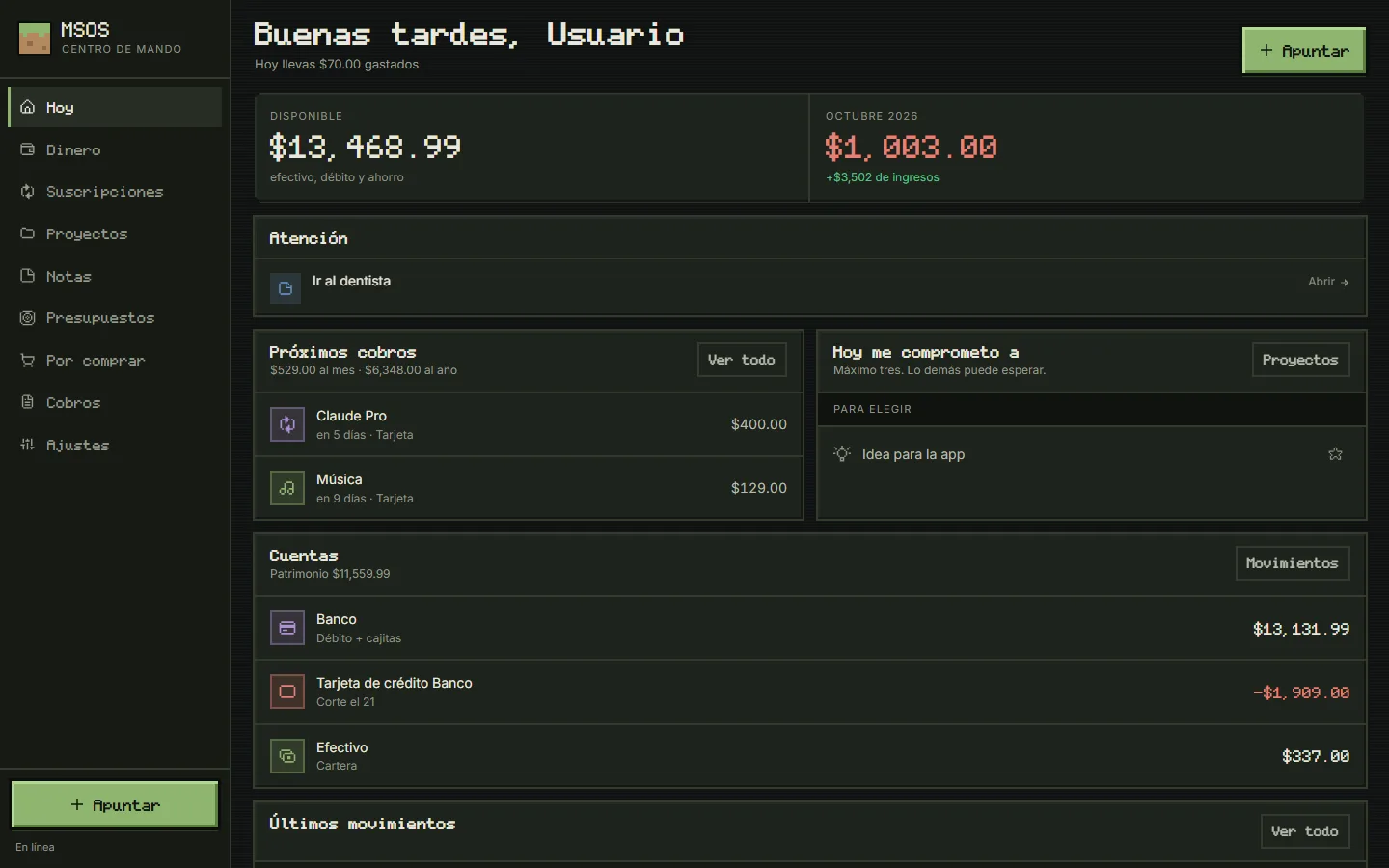
Today: what’s available, the month’s spending, what needs attention, upcoming charges, today’s commitments and the accounts (opens in a new tab)
Today: what’s available, the month’s spending, what needs attention, upcoming charges, today’s commitments and the accounts
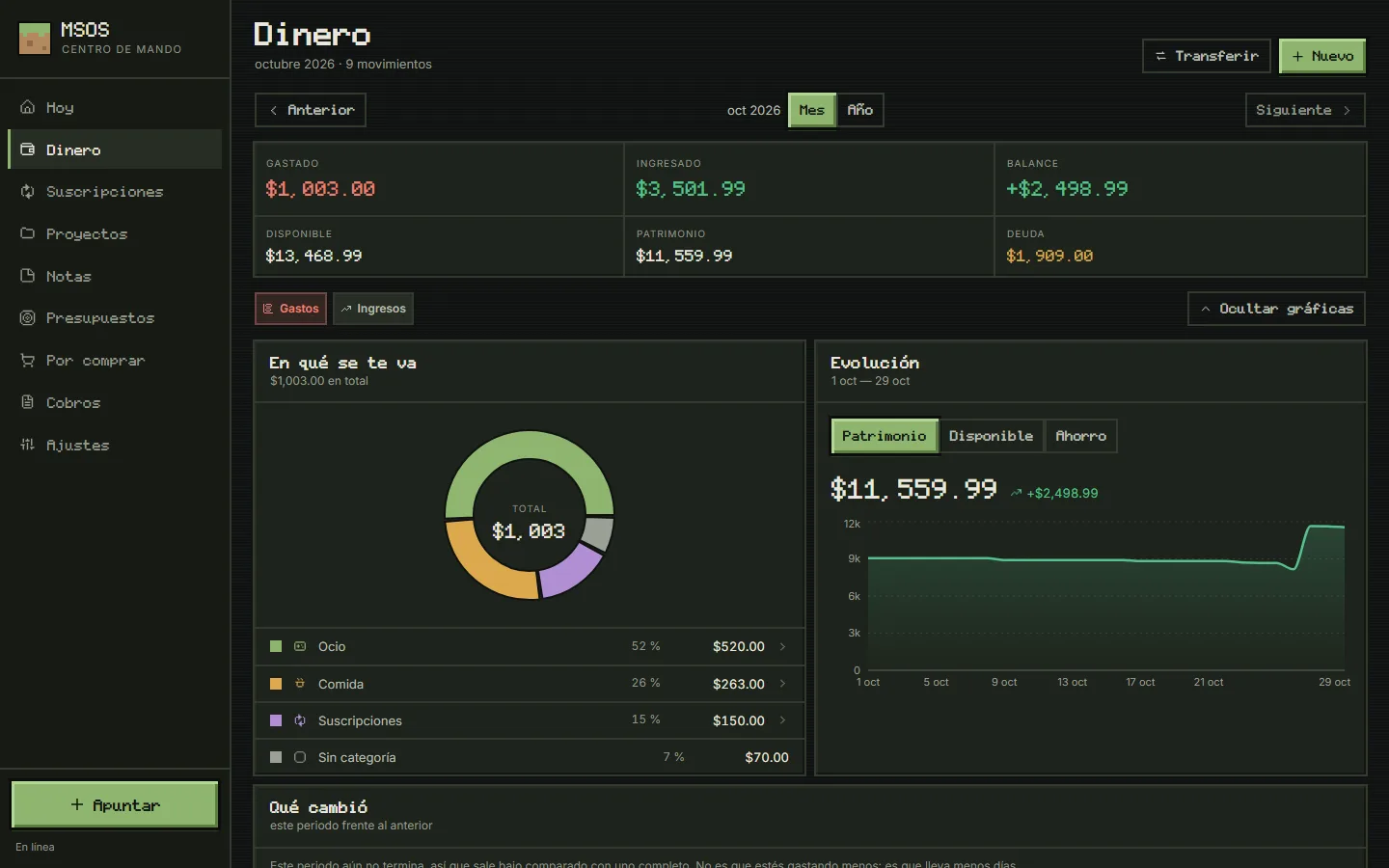
Money: the month’s spending, income and balance, where it went by category and how net worth evolved (opens in a new tab)
Money: the month’s spending, income and balance, where it went by category and how net worth evolved
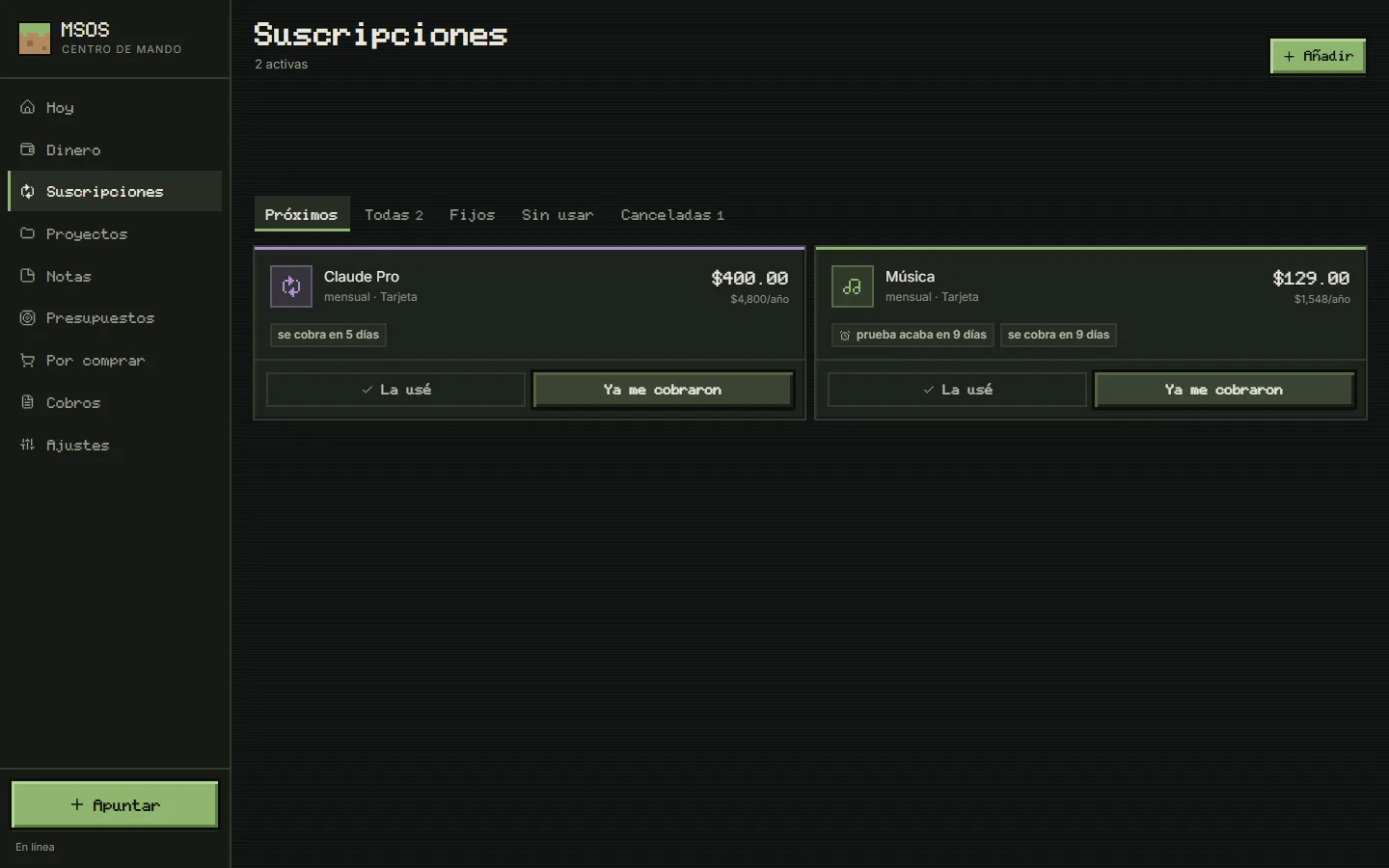
Subscriptions: monthly and yearly cost, when each one charges and a free trial that turns into a charge in 9 days (opens in a new tab)
Subscriptions: monthly and yearly cost, when each one charges and a free trial that turns into a charge in 9 days
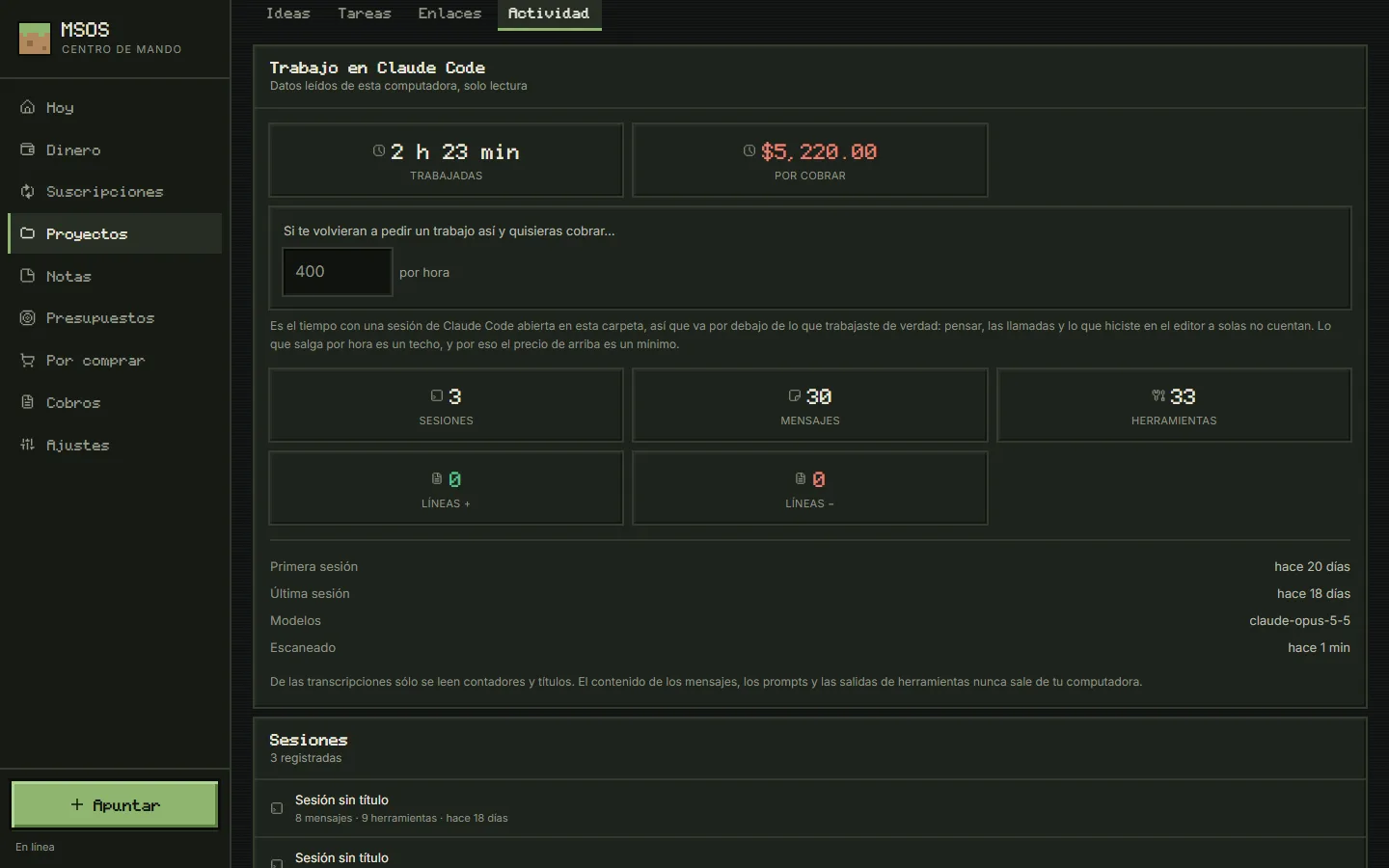
Projects: a project linked to its (invented) Claude Code folder, with sessions, messages, tool calls and what the work would be worth per hour; only metadata is read (opens in a new tab)
Projects: a project linked to its (invented) Claude Code folder, with sessions, messages, tool calls and what the work would be worth per hour; only metadata is read
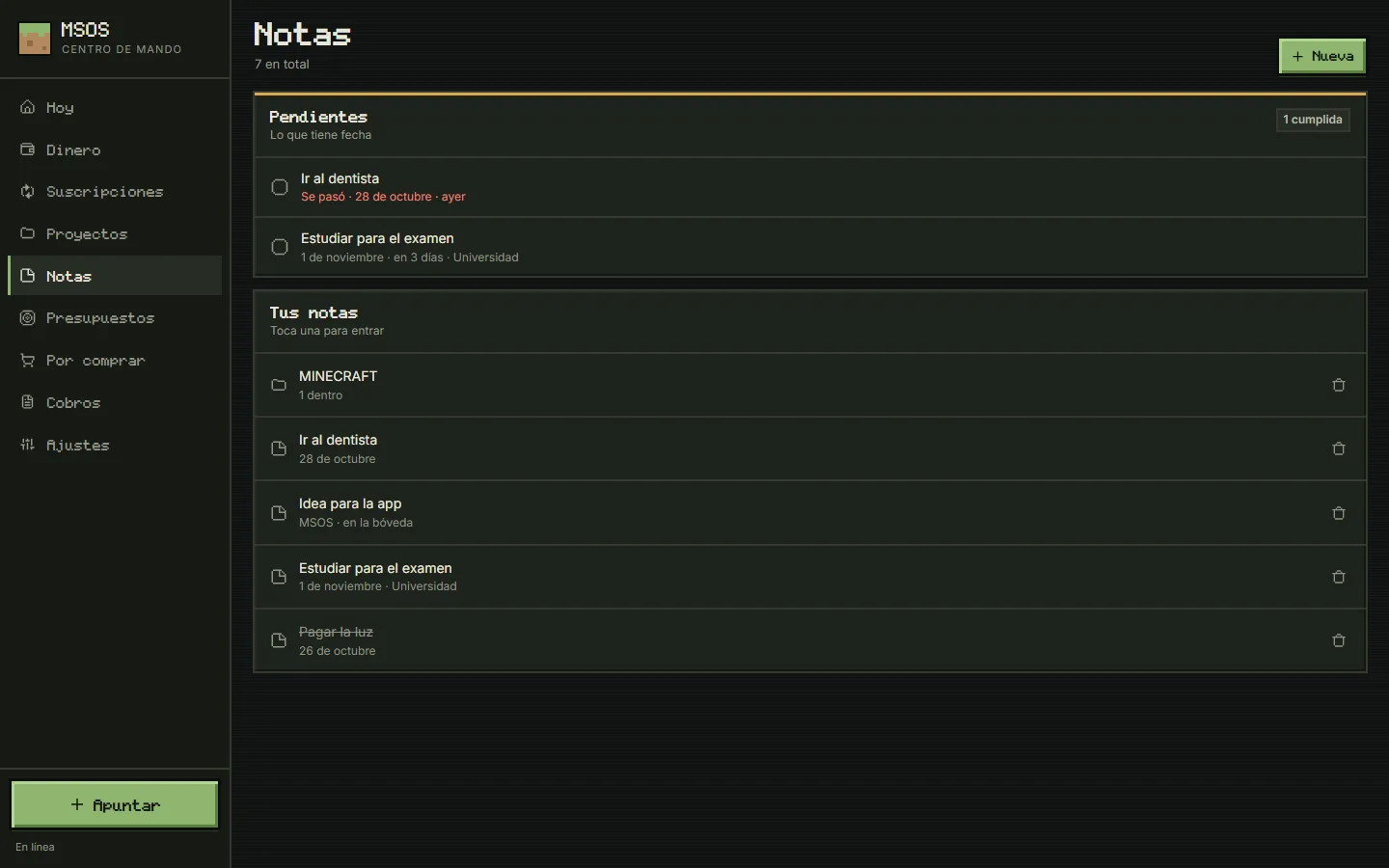
Notes: pending items with a date, one already overdue, and notes grouped in folders (opens in a new tab)
Notes: pending items with a date, one already overdue, and notes grouped in folders
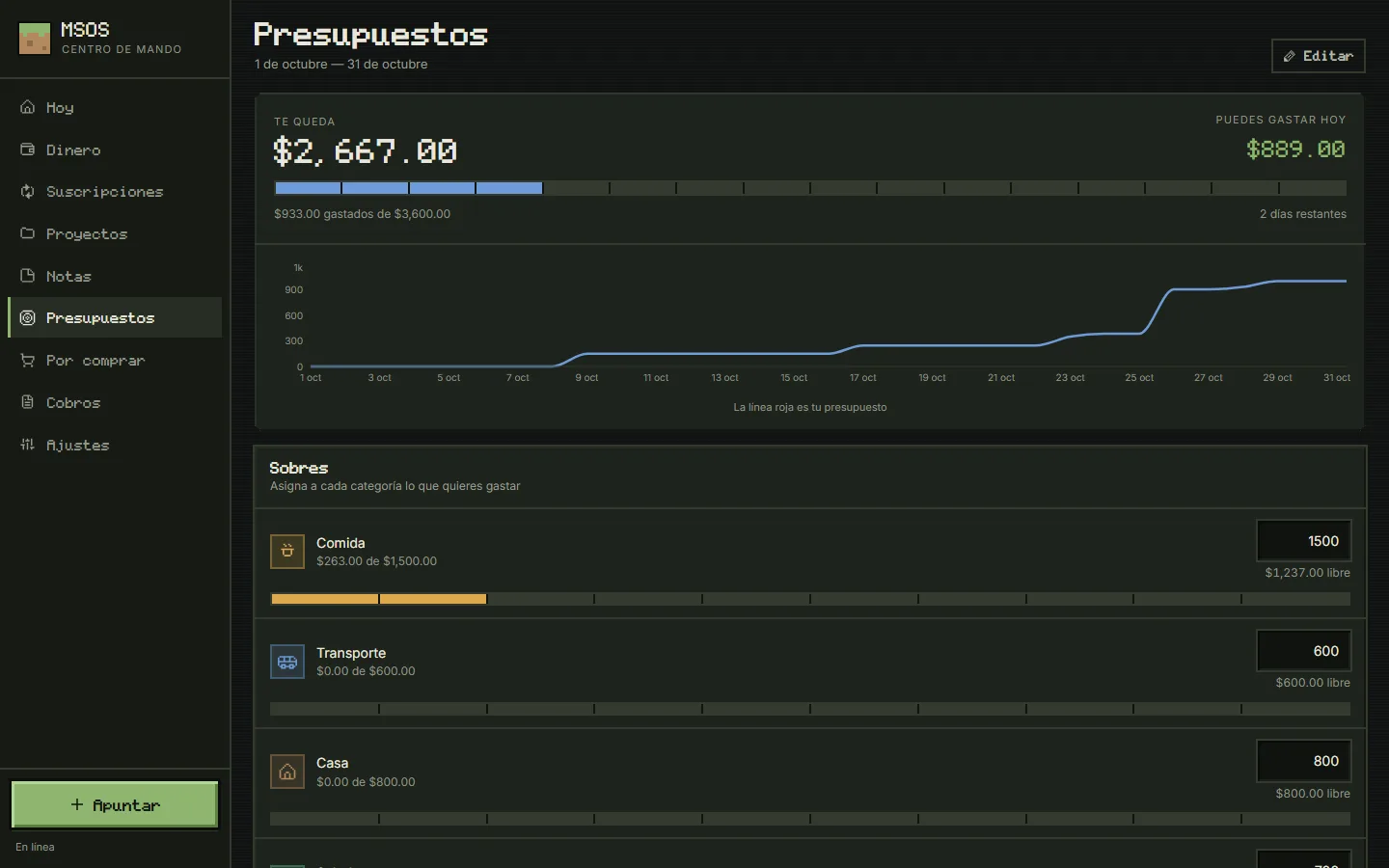
Budgets by envelope: what’s left this month, what can be spent today and how much of each envelope is used (opens in a new tab)
Budgets by envelope: what’s left this month, what can be spent today and how much of each envelope is used
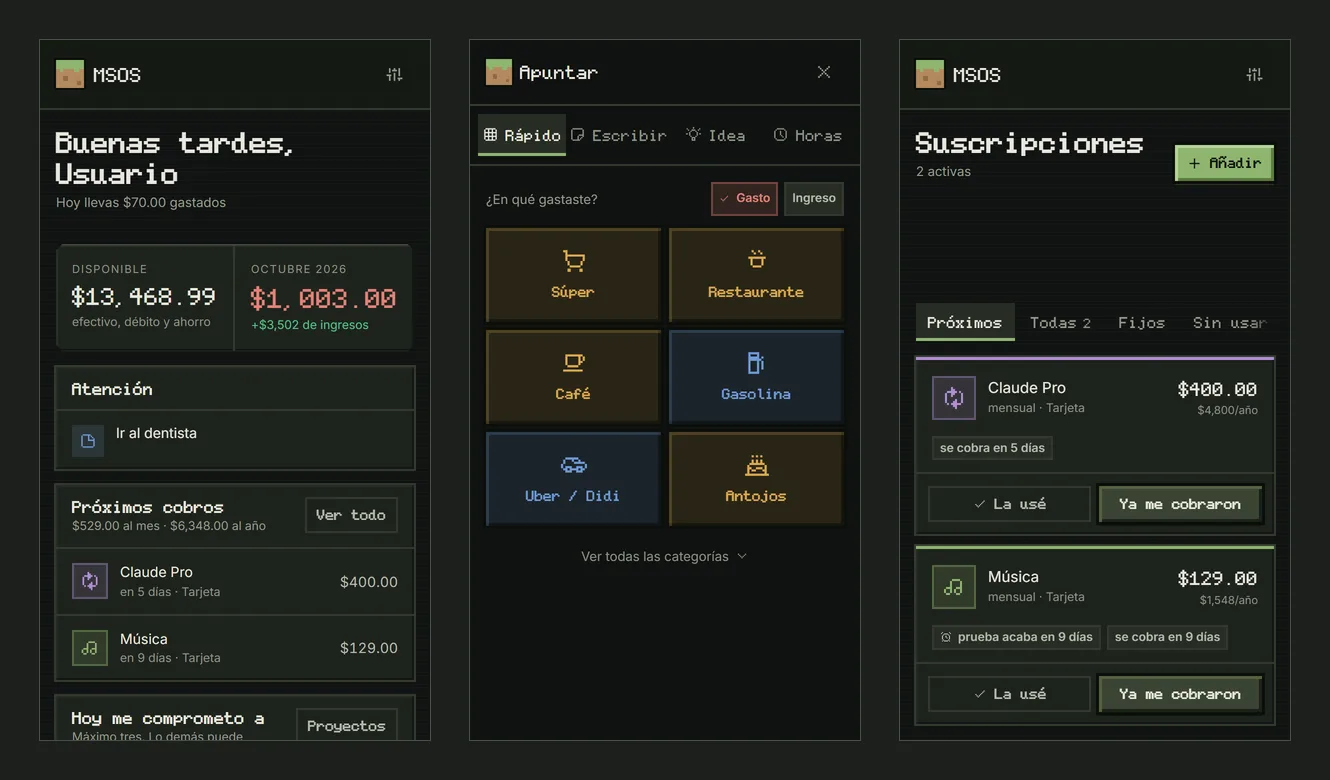
On the phone: today’s view, quick capture in two taps and subscriptions (opens in a new tab)
On the phone: today’s view, quick capture in two taps and subscriptions
Local copy with made-up sample data · in development

02 / STACK.INI

Tech stack.

What each piece does in this project. Hover over a tool, tap it or tab into the list to light it up.

  • Next.js 16One process serves the app, reads Claude Code and runs the sync server
  • React 19Screens built from shared blocks, for desktop and phone
  • TypeScriptPure, tested domain logic: money, dates, subscriptions, parser
  • Dexie · IndexedDBThe device is the source of truth: everything works without a network
  • Sync · HLCOwn sync: an operation log with a hybrid clock, merged field by field
  • Tailwind CSS 4 · motionRetro pixel look with measured contrast and animations
  • RechartsSpending by category and net worth over time
  • VitestTests for money, dates, parsing and sync

03 / README.TXT

About the project.

README.TXT

Problem

My money, subscriptions, notes and projects lived in different apps and spreadsheets. Subscriptions went up in price without my noticing, free trials turned into charges, and I had no single place to see what my Claude Code projects were really doing.

Solution

One app installed on the computer and the phone that works fully offline, with the device as the source of truth and an optional sync between devices. Every module answers a concrete question: what can I spend today, what is about to charge me, what did I promise to do.

Key features

  1. Subscriptions that warnSeparates what I expect to pay from what was actually charged, warns before a trial ends and spots the ones I pay for and don’t use.
  2. Quick captureTwo taps, or typed like “250 gasolina ayer”: it understands the amount, the category and the date, and asks before saving what it didn’t understand.
  3. Money in centsAccount balances are calculated, never stored; envelope budgets carry over, and a payment received is recorded net of the platform fee.
  4. Claude Code projectsReads only metadata from the computer’s Claude Code folder (sessions, dates, counters) through an allowlist of fields, and never writes to it.
  5. Next: a full command centerUsage tracking, richer notes and deeper project control, so it becomes the one place to run day-to-day work.

Every screen is checked with real screenshots on desktop and phone, and the contrast of its colors is measured; the money, dates and parser logic is covered by tests before it reaches the screens.

Ready UTF-8 · LF · 28 L

04 / ARCHITECTURE.SYS

How it works.

Components and data flow, taken from the source code.

ARCHITECTURE.SYS

DEVICES

  • ComputerApp, Claude Code reader and sync server
  • PhoneInstalled app and quick capture

NEXT.JS 16

  • Local databaseIndexedDB, source of truth
  • Operation logHybrid clock, field-by-field merge

READ ONLY

  • ~/.claudeMetadata of sessions and projects
Architecture diagram — Each device keeps its own data and works offline; the computer adds the sync server and reads Claude Code without writing to it.

Data flow, step by step

  1. An expense is captured on the phone, even without signal, and saved in the device’s own database.
  2. The change becomes an operation with a hybrid-clock timestamp.
  3. When there is a connection, operations travel to the computer and are merged field by field, without overwriting what changed meanwhile.
  4. The computer adds what its Claude Code sessions did, using metadata only.

Engineering notes

  • The device is the truthThe app works entirely without a network; sync is optional and goes only to a server I configure.
  • No CRDT where it isn’t neededConcurrent text editing isn’t the problem here, so its own sync merges field by field, with the merge itself in under 100 lines.
  • Privacy as rules in the codeNo card numbers, no secrets in the repository, and Claude Code is read through an allowlist of fields.
  • Money without floatsAmounts are integers of cents, so sums and splits never drift by a cent.

05 / PROPERTIES.CPL

Project properties.

PROPERTIES.CPL · MSOS

Platform
Web — installable on the computer and the phone, works offline
Type
Personal command center
Status
In development
Year
2026First commit: August 2026
My role
Design and full-stack development
Built for
Personal use
Repository
PrivateHolds my own finances

06 / LINKS.LNK