VIDEOS.MP4 · Explainer and product videos from an idea

PROJECT 06 / 11 · AI · Video

Video builder with AI

A system to produce explainer and product videos from an idea: script, synthetic voice, real 3D scenes and kinetic typography, with automatic rendering and a review of the final file. No generative video models: every frame comes from code.

  • In use
  • Video · 16:9 and 9:16
  • 2026
In use HYPERFRAMES · THREE.JS · GSAP · FFMPEG

01 / IMAGES.DIR

Project overview.

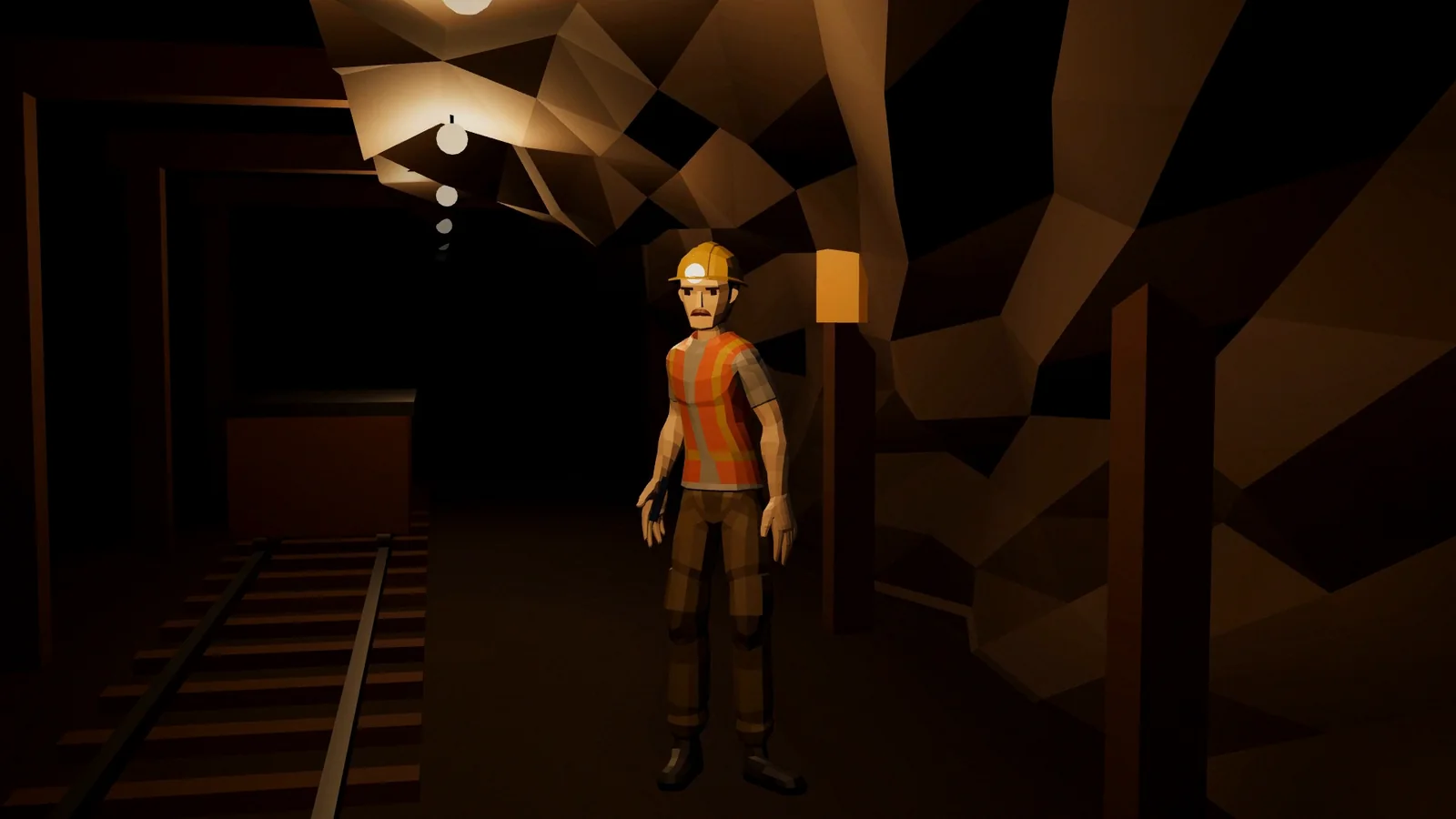
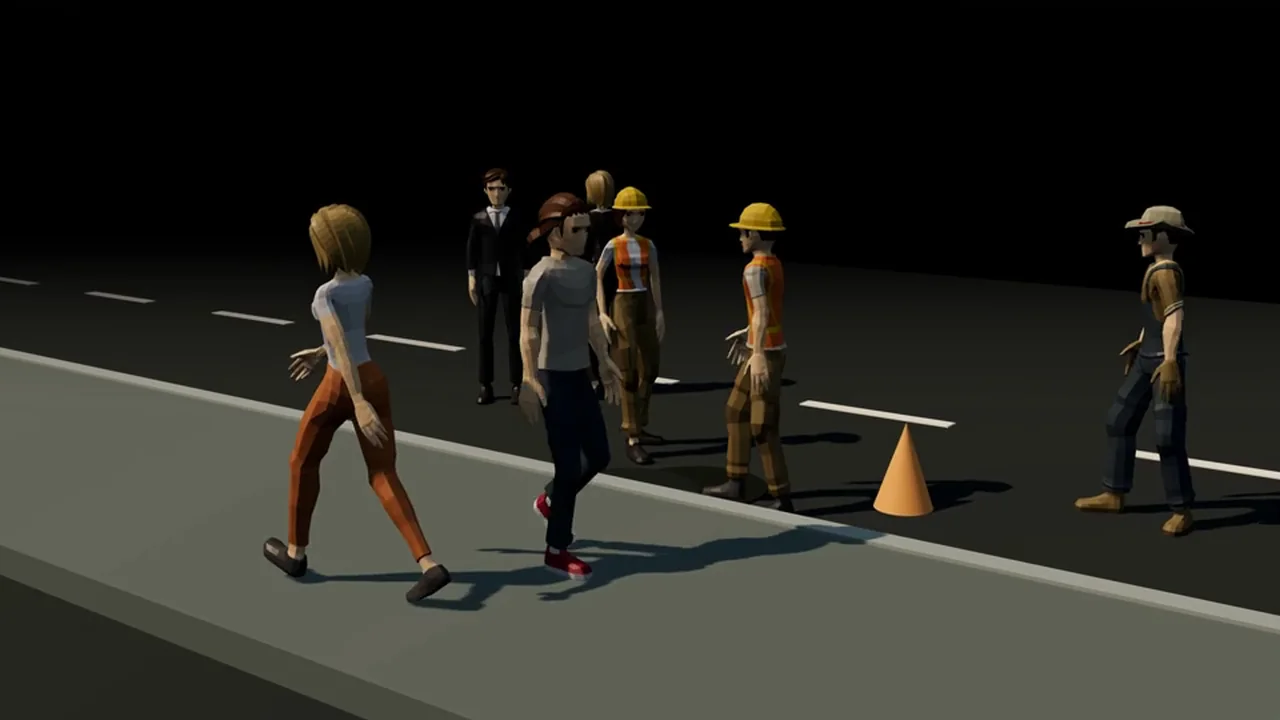
Frames from the Proyecto Zahorí video and from a test for a made-up app that warns a miner when his shift ends, plus a 3D people mock-up. They are renders, not photos.

IMAGES.DIR
Kinetic typography from the Zahorí video (opens in a new tab)
Kinetic typography from the Zahorí video
A low-poly 3D scene: the miner in the tunnel, for a test app that warns when the shift ends (opens in a new tab)
A low-poly 3D scene: the miner in the tunnel, for a test app that warns when the shift ends
Low-poly people for street scenes (opens in a new tab)
Low-poly people for street scenes
Video frames · 3D renders and kinetic typography

02 / STACK.INI

Tech stack.

What each piece does in this project. Hover over a tool, tap it or tab into the list to light it up.

  • HyperFramesEach scene is an animated HTML page rendered to video
  • three.jsReal 3D scenes: the street cut-away, the mine, the people
  • GSAPTiming of kinetic typography and transitions
  • Claude CodeWrites the spec, the script and the scenes with project skills
  • anatomyIsometric technical illustrations
  • ElevenLabsSynthetic voice for the narration
  • ffmpegEditing, finishing and GPU encoding
  • Node.jsScripts that prepare, render and check each video

03 / README.TXT

About the project.

README.TXT

Problem

A professional explainer video usually needs an animation studio, and generative video tools invent details you can’t correct. To present a project or an app I needed something fast, faithful and repeatable.

Solution

Videos written as code: the script becomes scenes with kinetic typography and real 3D, the voice is generated and measured, and everything renders to MP4 deterministically, so two renders give the same frames and any detail can be fixed and rendered again.

Key features

  1. Real 3D scenesLow-poly worlds and characters in three.js, with lights, camera moves and animation.
  2. Kinetic typographyWords that appear, cross out and change to the rhythm of the voice.
  3. Voice and soundSynthetic narration, effects with a fixed seed and loudness measured to −17 LUFS.
  4. Horizontal and verticalThe same video in 16:9 and in 9:16 for social media.
  5. Review of the final fileDouble render, frame sheets and checks on the final MP4, not only on the preview.

No generative video models: every frame comes from code, so the result can be repeated, reviewed and fixed.

Ready UTF-8 · LF · 28 L

04 / ARCHITECTURE.SYS

How it works.

From the idea to the MP4: the steps each video goes through.

ARCHITECTURE.SYS

IDEA

  • Spec and scriptWhat the video says and shows
  • Claude CodeProject skills

SCENES

  • HyperFramesAnimated HTML per scene
  • three.js · GSAP3D and typography
  • ElevenLabsNarration

OUTPUT

  • ffmpegEditing and GPU encoding
  • MP416:9 · 9:16
Architecture diagram — From the idea to the file: spec, scenes rendered from code and the final edit.

Data flow, step by step

  1. The idea becomes a spec and a script, with what each second says and shows.
  2. Each scene is written as animated HTML, with 3D in three.js and typography in GSAP.
  3. The narration is generated and its phrases are measured to fit the timing.
  4. HyperFrames renders the frames; ffmpeg edits, mixes and encodes the MP4.
  5. The final file is checked frame by frame before delivery.

Engineering notes

  • RepeatableTwo renders of the same scene must give identical frames; if not, something is wrong.
  • Check the final fileBugs that the preview hid showed up only in the final MP4, so the MP4 is what gets reviewed.
  • Real backend, written downWhen something depends on the GPU, the output says which mode was actually used: tools fall back silently.

05 / PROPERTIES.CPL

Project properties.

PROPERTIES.CPL · AI video builder

Platform
Windows · Node 22 · GPU
Type
In-house video production tool
Status
In use
Year
2026First commit: 16 October 2026
My role
Design and development
Built for
My own tool
Repository
PrivateThe code isn’t public

06 / LINKS.LNK